Personal, Library, AI
Follow my journey organizing hundreds of notes, PDFs, and articles that transitioned from a cluttered set of documents that never became truly connected on Obsidian, to a knowledge library that now has a protocol for cleaning clutter and connected themes.

Cleaning up the clutter
I never really found any note taking app good for me. Notion, Apple Notes, Evergreen, etc. I have saved a lot of real intellectual work from incredible people and notes from my studies (annotated PDFs, articles, papers design frameworks, course material, etc) but it still felt scattered, like a Google Drive Folder. A saving system or note taking app is not enough. LLMs on their own are no good either, because retrieval of information is not optimized if you use it in this context. Everything is in there, but in the void of the folder or the vault, nothing is truly connected.
Defining themes
Starting is the tricky part, because you cover a lot of ground across different types of concepts you gather around design. So I used Claude to fully audit saved files on my local computer disc and browser's bookmarks. My first iterations contained periodic notes (daily, weekly, etc) but it slowly turned into Notion, which wasn't the objective. Instead, I went for a taxonomy and type approach, building six thematic Maps of Content, creating twenty-two companion notes for PDF sources and templates.

Claude's role: design the protocol for standards
To preserve the connected content, I designed a two-layer system: 1. a type + tag taxonomy at the note level, and 2. Maps of Content as a navigational layer above it. Types classify what a note is (article, book, concept, framework, person). Tags classify what it's about. All hold on together by the MOC entity to avoid clutter. The PDF annotation protocol is super cool: using an Obsidian Plug-In, highlighting in a PDF automatically pastes a formatted callout into a note created from the PDF, like a cheat sheet. No copy, no tab-switch, no friction.
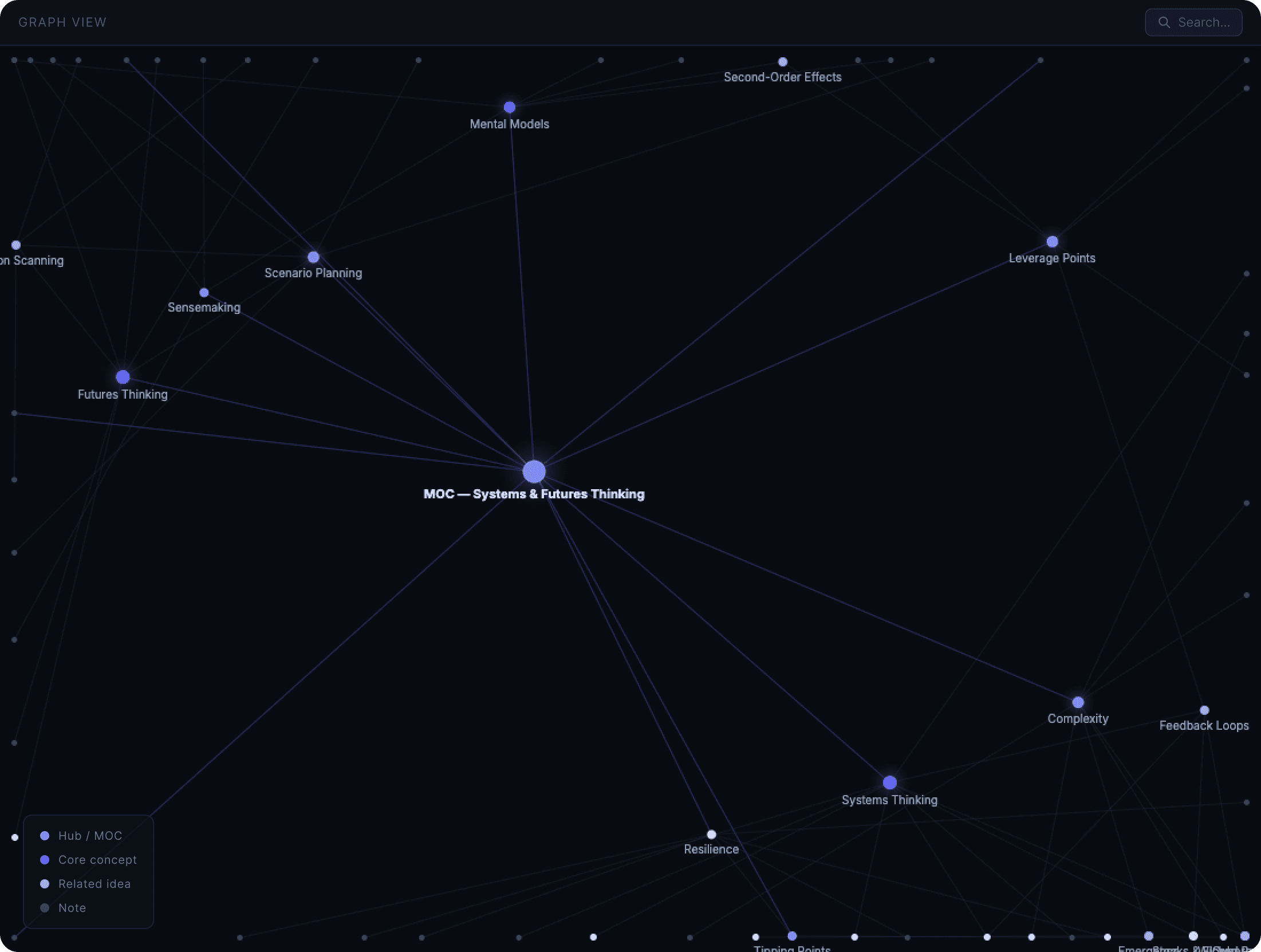

System and Protocol
As the lead Product Designer, Mia Thompson translated Liam's vision into tangible interfaces, ensuring each design element contributed to a flawless user experience.
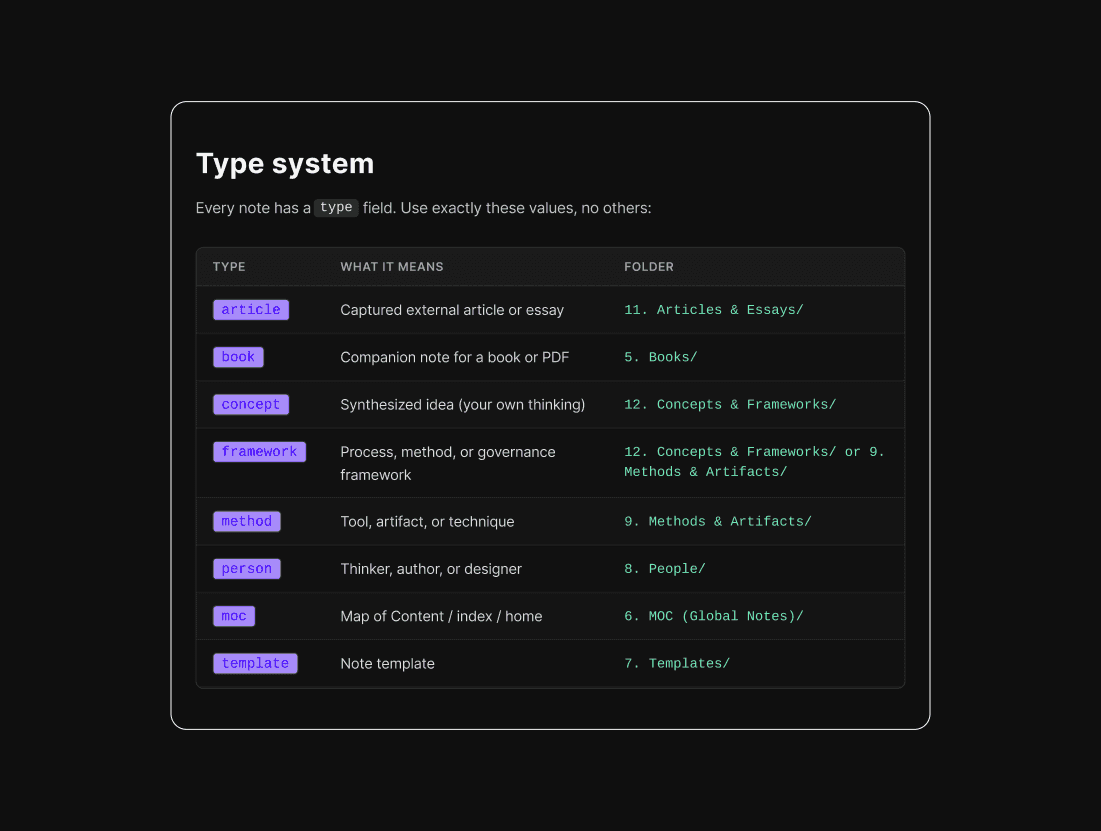
Step 1: Properly Tag
I used to have a huge library and a lot of folders (think of Google Drive). So, I asked my agents (which already had context for design library) to rundown a short type system so I can achieve my goals. My goal was to use this as an active library, that learns with me and logs my queries for design decisions.

Step 2: The tagging is the key
All those cool dots and graphs I see on obsidian files are great, but it's much more important than that. Here, I also try to limit the amount of tags, so that the connections really start to be useful. The LLM was very helpful to align the expectations and the role for each tag, it helped me keep it tidy.
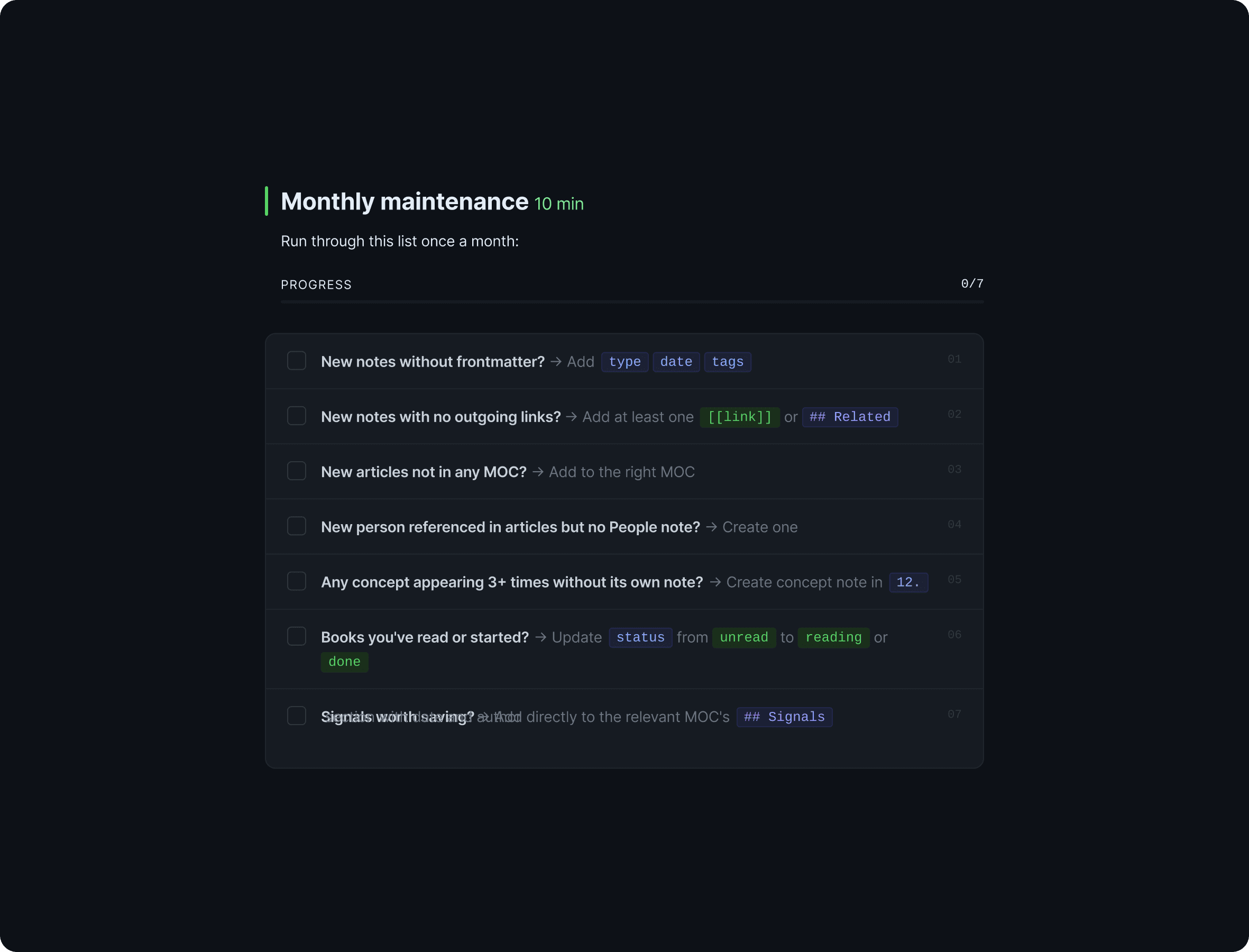
Step 3: Real work is in the maintenance
Now that the how is all set, the protocol's final step is how we keep it clean and not go back to the initial clutter that started this in the first place. So this final step was a nice touch from my agent. At the start of 2026, I decided to delete the signals worth saving, but I will return to it.
Outcomes
The vault went from an unstructured accumulation of great ideas to a navigable network, all supported by a protocol for monthly maintenance. The annotation pipeline enhanced my readings and connections, which is triggered by auto-paste directly into the active note. In the end, the system is only as good as the habit of connecting. This is my greatest take away: organizing things made a clear system, and a habit emerged.